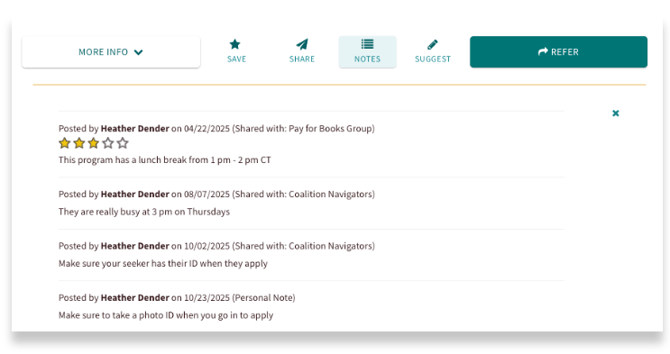
Program Notes allow you and your team to save important details, comments, and star ratings about specific programs directly on your site. These notes are only visible to the person who created them or the group they are sharing them with.
How to Add a Note to a Program
When logged in, you can add a note directly on the program card. Click the Notes button located on the Program Card. A drop-down will appear where you can add in a comment and rate the program.
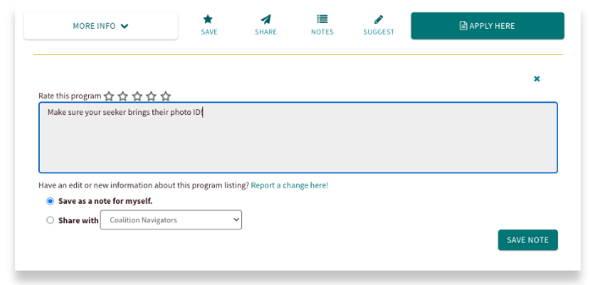
This is a great way to capture tips or key information you need to remember to share with your seeker when recommending this program. Examples of impactful notes may be:
- Make sure the seeker has their photo ID when going in for services
- Typically need 4-5 business days to respond to referrals
- Maria has been our main contact and is very responsive by phone for questions
- Shared with [seeker name] on January 5 but they were not yet interested in a formal referral
Sharing the Note
You will then select the visibility setting for this note. You can choose from:- Save as a note for myself (default): Only you can see this note.
- Share with [Team Name]: Select this option to let all members of the chosen team view your rating and note.
Viewing Program Notes
To view notes left for a program, simply click the Notes button. All previous ratings and comments created by you, or shared with you by your team, will be visible.