
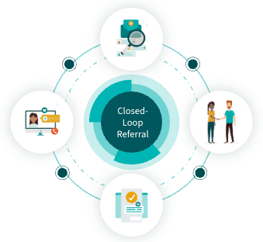
Closing the loop means documenting the final resolution of a referral. This process provides navigators with clear outcome tracking, minimizes unnecessary follow-up, and ensures a seeker’s care record remains accurate and up to date.
Depending on the referral type, the loop can be closed by one of three parties: the Navigator (or their team), the Seeker, or the Program Provider.
Closing the Loop: Navigator
Navigators and their team members can manually close the loop via the Navigation History section or the People I’m Helping dashboard. This step is especially critical for Logged Referrals, as these are not sent to the program provider; therefore, the status must be updated internally to reflect the outcome.
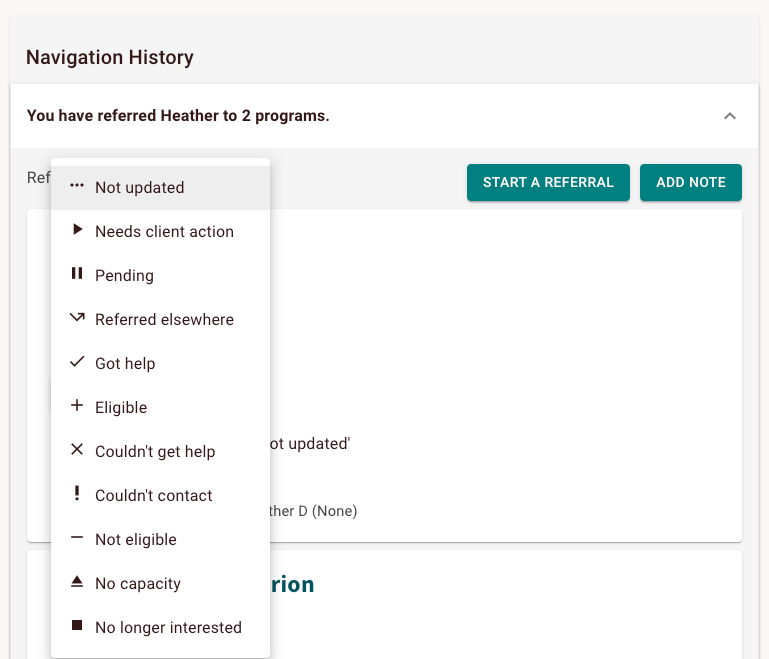
You can update any referral directly from the Navigation History tab. Simply click the status dropdown and choose the option that most accurately describes the referral's current outcome.
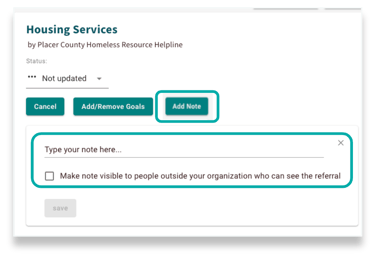
When updating a status, you have the option to include a note to provide additional context for your team. For Live Referrals, you can also choose to share these notes with the program provider to ensure seamless communication between organizations.
The referral can also be updated from the People I’m Helping dashboard. Locate the individual’s name from your team's referral list and click Summary. This opens a view of all their active referrals, where you can select the appropriate status to close the loop.
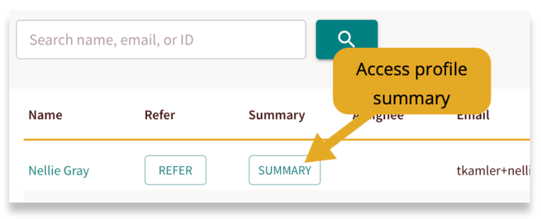
From here you can also leave a note letting your team know details on the status update.
Closing the Loop: Seeker
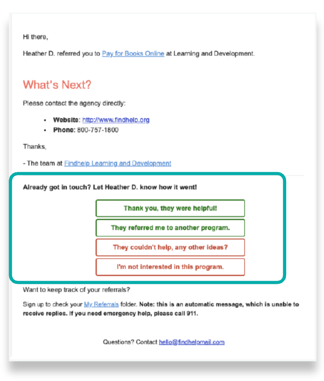
Seekers who opt for email notifications can manage their own referral outcomes. Clicking a status link within the email instantly syncs that update to the platform, ensuring the Navigator is kept informed.
This functionality applies to both Live and Logged referral types.
Closing the Loop: Program Provider
When a live referral is made, a notification is sent directly to the program provider. They can then close the loop in two different ways.
To enable this feature, program providers must first claim their program and then manually activate one-step referrals.
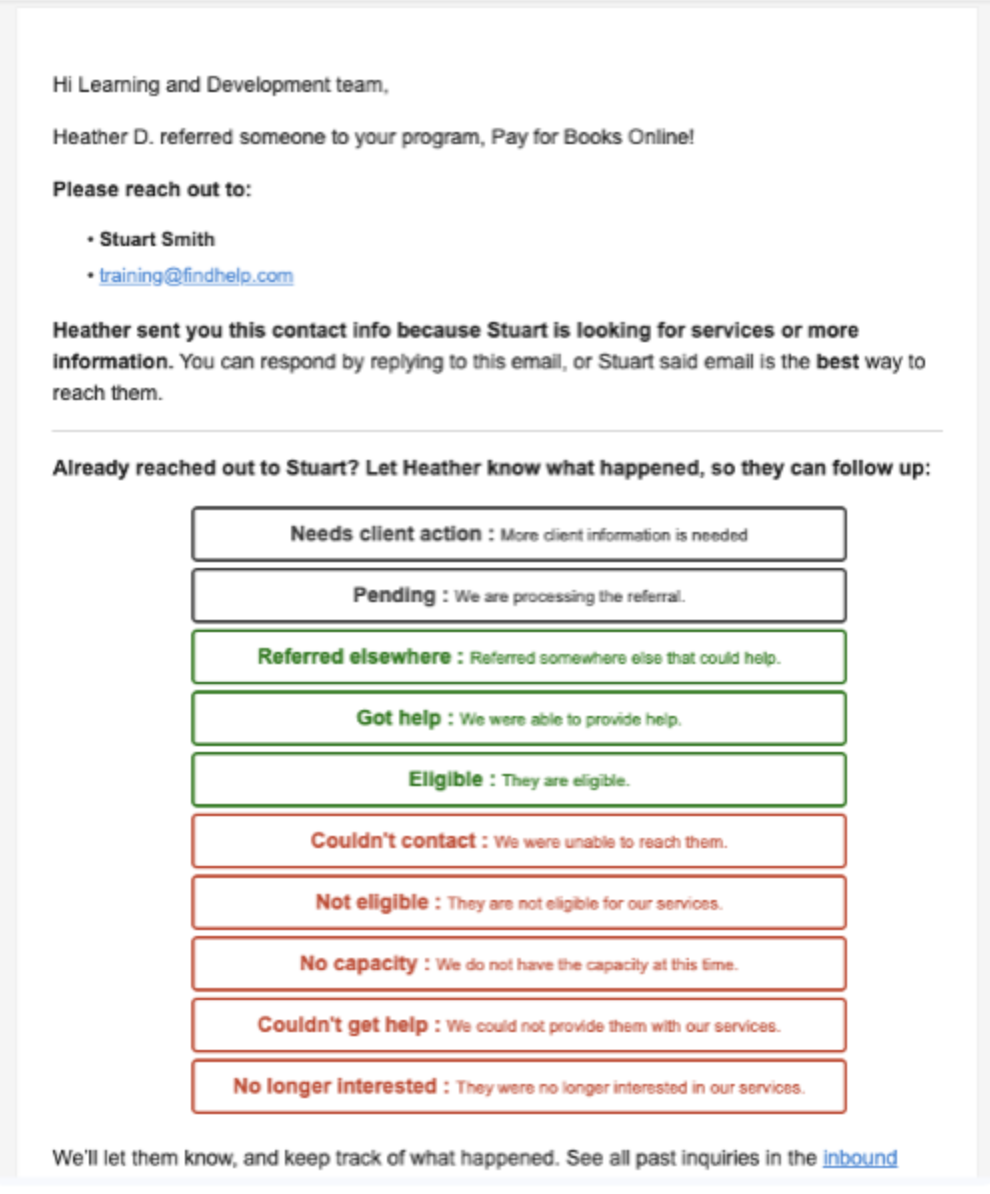
Program providers can close the loop directly from their notification by selecting the appropriate status. This action automatically updates the referral in the platform, providing the navigator with real-time visibility into the outcome.
Once a program is claimed, providers gain access to an Inbound Referral Dashboard to track and manage all referrals. Updating a status directly from the dashboard automatically syncs the information for the referring navigator to see in real-time.
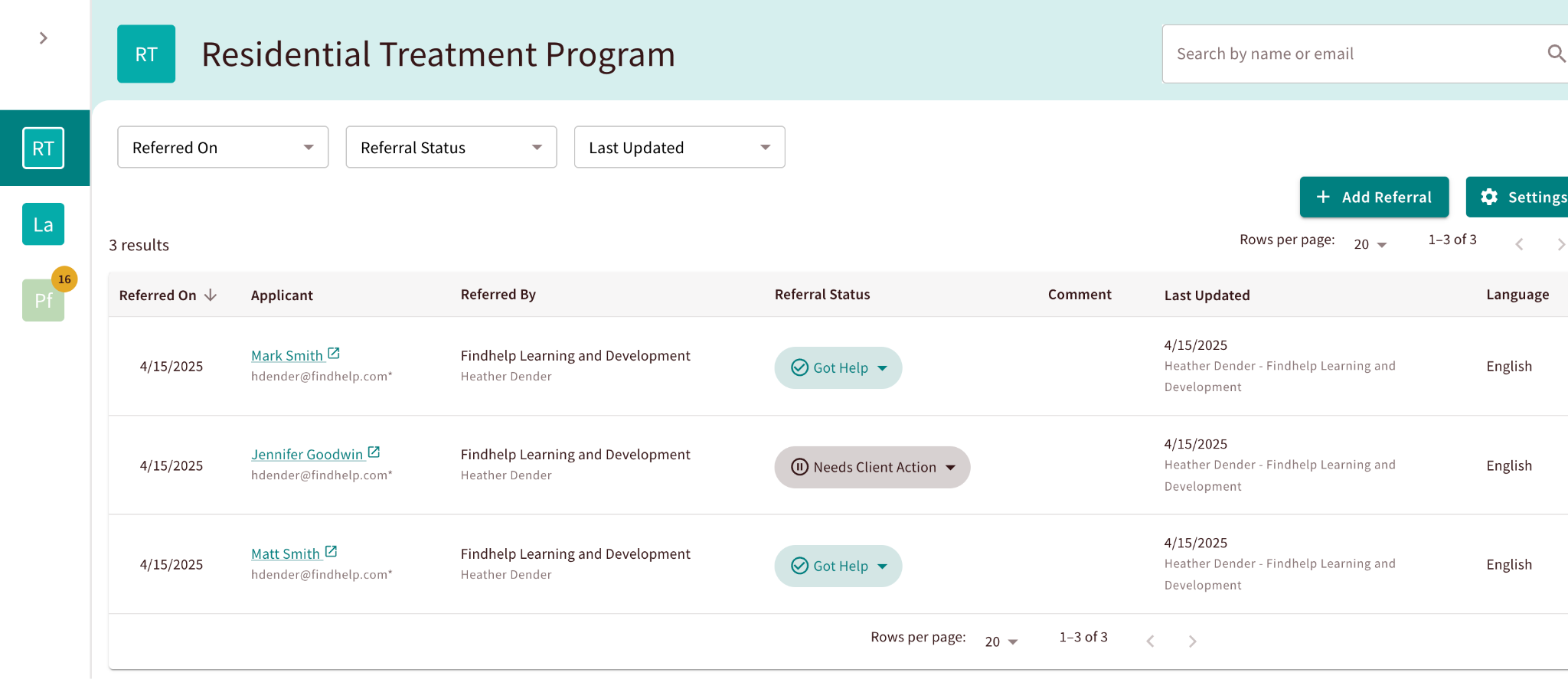
Ultimately, closing the loop ensures no seeker falls through the cracks and that every referral has a clear, recorded resolution—providing the long-term trend analytics needed to measure and enhance your community impact.
📝 Want to get this as a tip sheet to share with your team? Click here!