
You can add Flexible Referral Fields to the referral form to track specific information on referrals, like billing codes or internal statuses. This helps you capture important details for reporting.
How it Works
-
Define Fields: Work with your Customer Success Manager to create the specific fields you need on the Connect form.
-
Make Referrals: When your staff creates a referral, they can fill in the information for these new fields.
-
View Information: Once the referral is made, the information from these fields will appear in the seeker's profile and in your site's analytics.
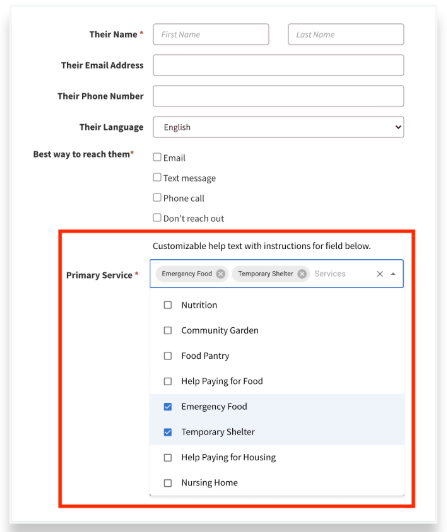
Example of Flexible Referral Fields used to capture primary service
Viewing Flexible Referral Field Submissions
Submissions are included in the Referral dashboards in customer analytic suite and customer SQL. Navigators will be able to see and edit the selections on the Seeker Profile.
Editing Referrals
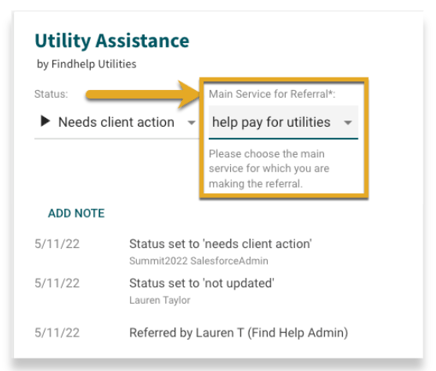
Once a referral has been submitted, Navigators can make changes to the fields by
-
Navigating to the Seeker's Profile
-
Locating the referral under Navigation History for which the fields to be edited
-
Clicking on the dropdown menu for the defined Flexible Referral Field
Work with your Customer Success Manager to enable this for your site!