
Findhelp’s analytics suite offers insights into your work, program management, and site activity. The dashboards provide detailed metrics that help your organization understand site usage and user interactions.
This data helps you make better decisions by providing key insights into your platform's activity. You can quantify your impact by tracking referrals and outcomes, and use this data to create targeted adoption plans for your staff. By analyzing common search terms and identifying gaps in program availability, you can also inform your outreach efforts and build new community partnerships.
Analytic Overview
Analytic Suites Built Into Your Site!
Your site includes built-in analytics to help you track and understand impact.
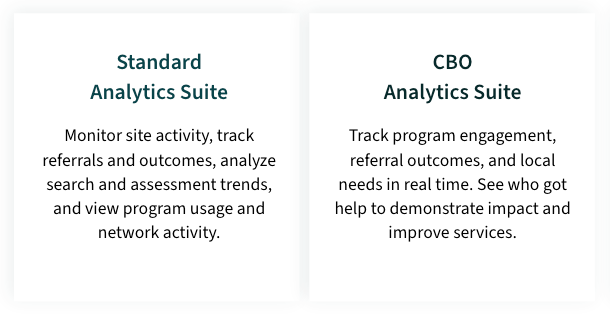
Additionally, there are two add-on Reporting options for Customers:
|
Suite |
Audience |
Description |
|---|---|---|
|
Provided by the Customer Success Team |
Customers |
Provides Analytics for all Internal teams who want to gain insight into how users are using the site such as search and referral activity, trends in claiming, program availability, etc. Additional team-specific dashboards are provided to support team workflows. |
|
SQL Access |
Customers |
Get direct access to your site's data through SQL. |
Analytic Reporting Roles
There are three different reporting roles a Site Administrator can assign an authorized user to:
- Aggregate-Only Reporting: Grants access to report summaries without revealing staff or client identifying information.
- Aggregate and PII Reporting: Provides access to detailed reports, including staff and client personal identifying information (PII), such as names and contact details.
- PII Reporting Access: Limits access to specific reports containing only personal identifying information (PII).
This chart outlines the reporting roles and the corresponding reports available in our analytics dashboards.
|
Aggregate-Only Reporting Access |
PII-Only Reporting Access |
Aggregate and PII Reporting Access |
|
|
|
Interested in attending one of our Monthly Webinars? We offer one specifically for Analytics! Use this link to register for our course.