
Manage your team efficiently by keeping your user directory up to date. As a Site Administrator, you have the authority to remove users who no longer require access to your Findhelp platform.
Removing Access
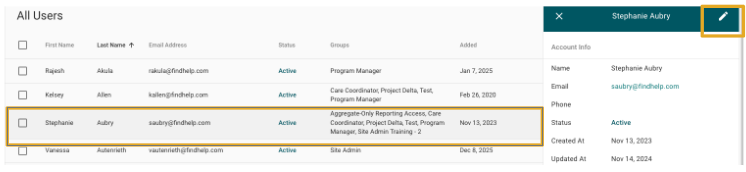
Step 1: To remove a single user, a Site Administrator can navigate to the User Dashboard. From there, highlight the user you want to remove and click the pencil edit icon.
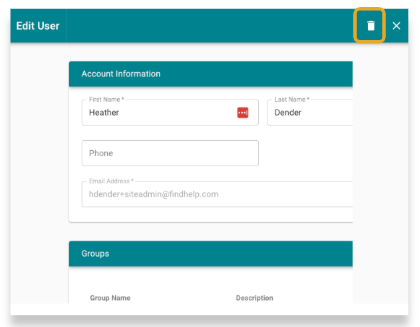
Step 2: This action will open the user's form. In the top right corner of the form, you will find a trash can icon.
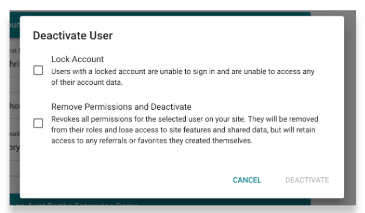
Step 3: Click this icon to choose your deactivation options. From here, you can lock and deactivate their account, which keeps their past activity accessible to you while removing their access.