Creating goals helps you turn a seeker's needs into a clear plan of action. By adding goals to a Care Profile, you and your team can easily track a seeker's progress, stay organized, and ensure everyone is working toward the same milestones. It’s the best way to see how far a seeker has come and what steps are left to take.
Creating New Goals
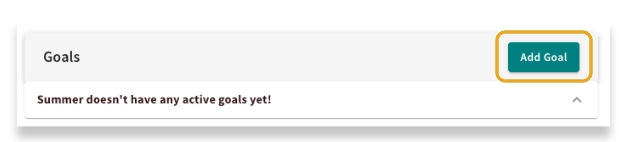
When you want to document a seeker's needs into a clear, trackable plan, you can create a goal. To get started, simply click the "Add Goal" button.
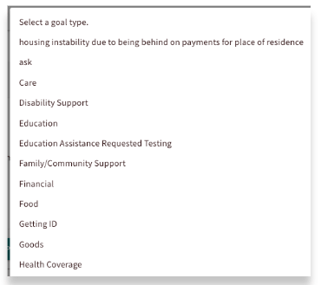
From there, you have plenty of flexibility. You can pick from a list of standard goal types already in the system, or get specific by creating a custom goal that fits the seeker's unique situation.
You can also add a description to clearly outline what you want to accomplish, ensuring everyone understands the desired outcome.
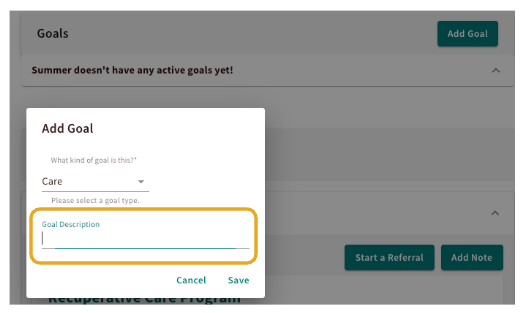
Once it's created, you can add notes and update the status to keep everyone on the same page.
Tying a Referral to a Goal Created
To link a referral to a specific goal, select the Add/Remove Goals button within the referral record and choose the corresponding goal. Once connected, the referral will appear directly within the Goals section, providing a clear view of the actions being taken to achieve that objective.
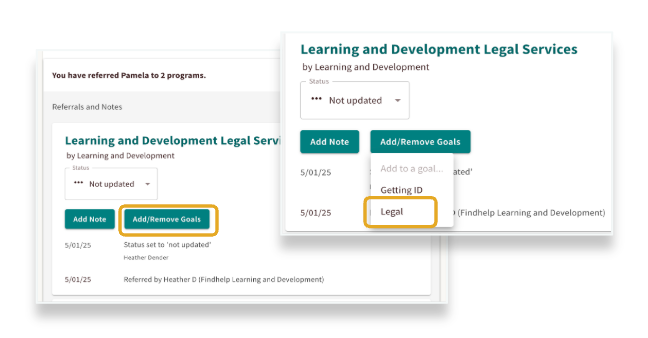
Note: The referral must be created first before it can be linked.
Reviewing Previously Created Goals
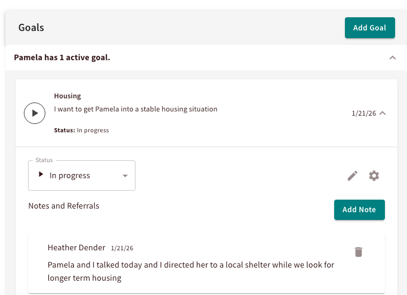
Within the seeker’s profile, you can view all goals established by your team. Simply click the arrow to expand the details and view progress updates and notes.
This allows you to seamlessly pick up support exactly where the seeker and your teammates left off.
Download and Print the Seeker Profile
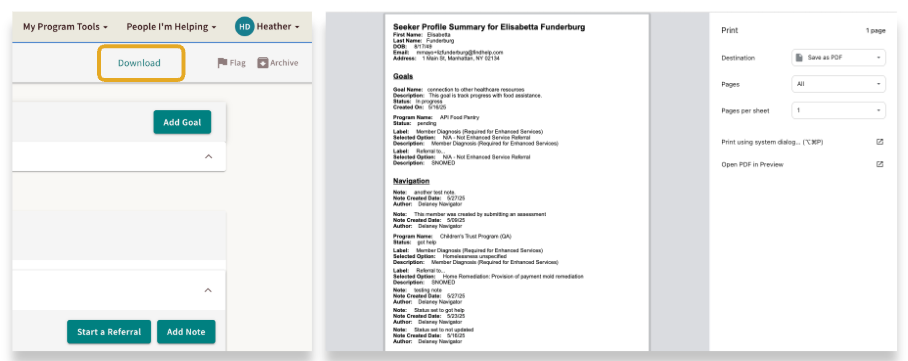
Goals are automatically included in the downloadable PDF summary available from the seeker’s profile. By clicking Download, you can generate a report that includes goal descriptions, progress updates, dates, and notes. This document is a valuable resource for sharing progress with seekers, maintaining internal records, or providing official documentation for court proceedings.