
The Site Assessment Details (My Groups) - PII dashboard allows you to view detailed information on Assessments submitted on your site(s) by you, other members of your group(s) or forms shared with your group(s), in one place. From the dashboard, you can download data for your own analysis.
You can use this dashboard to view detailed, individual-level data on each assessment submitted on your site by yourself, other members of your group(s) or forms shared with your group(s)
View Assessment Activity
The Site Assessment Details (My Groups) - PII table shows you the following information for all seeker assessments completed by you and members of your group(s):
- Seeker name, contact information, unique ID
- Submitter name and contact information
- When the assessment was submitted
- Each question and the corresponding answer
- Date and time of the assessment submission
To Download the Data:
-
Hover your mouse over the chart or table
-
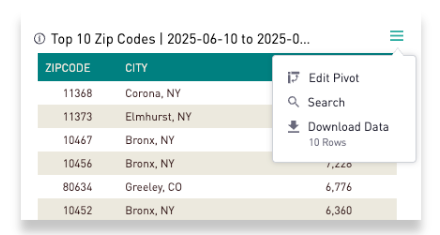
Click on the three lines
-
Select "Download Data"