
The Site Referrals Details dashboard allows you to view detailed information on referrals and share activities made by you and other members of your group(s).
You can use this dashboard to view detailed, individual-level data on each referral and share activity on your platform. You can then download that data for your own analysis.
For the best results, you'll want to use a combination of some or all of the following filters: Site, Group, Date Range, Aggregation.
Referral Details Table
You can use the Referral Details table to view all referrals made on your site(s) and details related to the referrals. As a reminder, referrals are only available for programs that are claimed and open to referrals - this will be indicated by an active refer button and application on the program card.
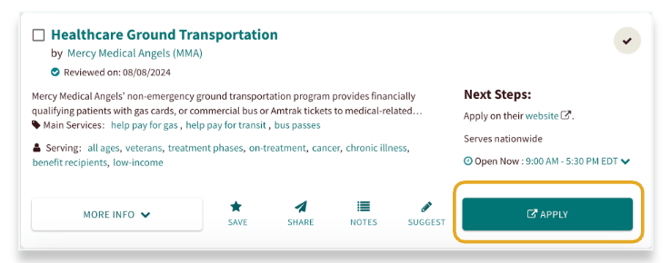
In the Referral Details table you can find the following information:
- Seeker name, contact information, and unique ID
- Sender name and contact information
🗒️ Non-staff user referrals will be anonymized to protect seeker privacy
- Details on which program received the referral
- When the referral was made
- The current status of the referral
- When the referral status was updated
- Who updated the referral status
Share Details Table
You can use the Share Details table to view details around all “send” activities made on your site(s). As a reminder, "shares" are not active referrals and there is no action shared with the program. Programs can be shared via email, Facebook, text, or printed.
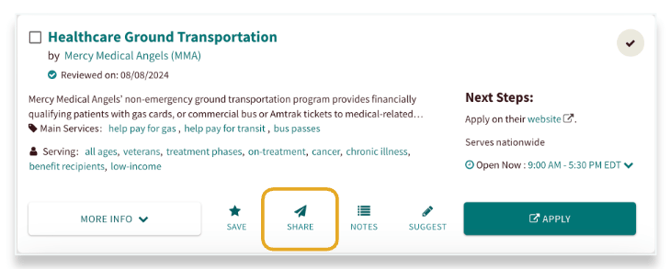
In the Share Details table you can find the following information:
- When the activity happened
- Who sent the information
- Who received the information
- What program information was sent
To Download the Data
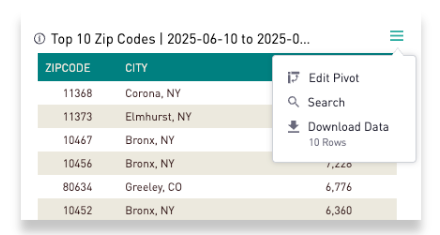
-
Hover your mouse over the chart or table
-
Click on the three lines
-
Select "Download Data"