
As a Site Admin, you can easily access technical assistance by submitting a support ticket directly through the Admin Center.
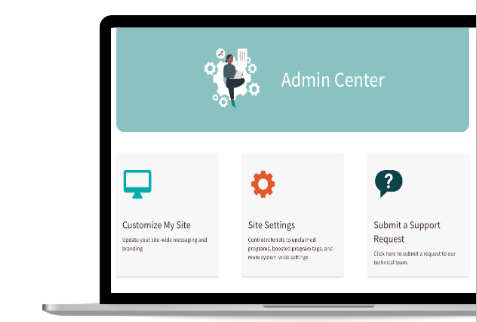
To get started, simply navigate to your dashboard and click on Submit a Support Request.
This streamlined process ensures that our team receives all the necessary details to resolve your issue as quickly as possible.
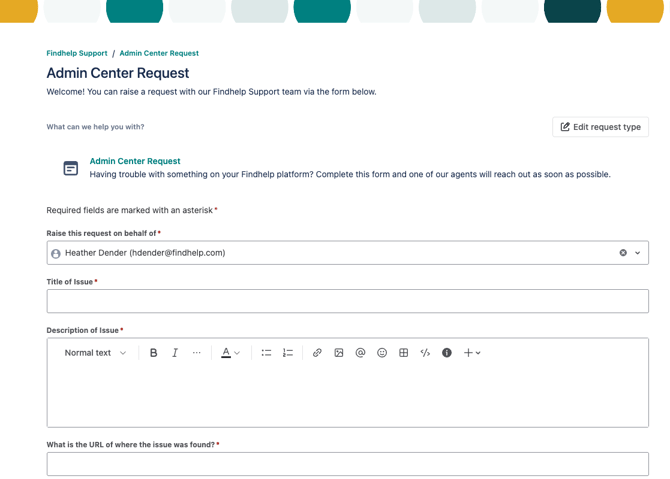
Submitting the Form
This information in this form will go to our Support Team!
- Add an Issue description to let our team know what you need assistance with
- Include your site’s URL.If the issue affects multiple whitelabels within your organization, please list each one in your request.
- Tell us who is affected by this issue. Is it your case managers, your seekers, your CBOs or you specifically?
- Tell us when the issue occur. Please also include any steps that led up to it.
- Upload relevant screenshots. Include the specific error message or issue in your screenshot.
Checking On the Status of Your Request

If you submitted a request for help, a new program suggestion, or an edit to an existing program, you can check on the status by clicking on the icon in the upper corner of the page.