
-
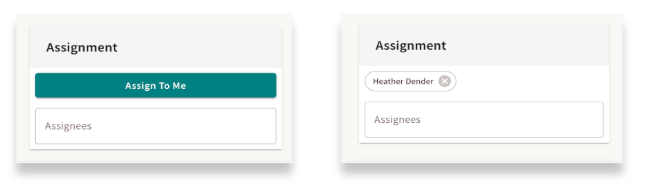
Assign to Profiles for Hand-offs: Directly assign group members to specific seeker profiles, allowing for smooth transitions and clear ownership when transferring care.
-
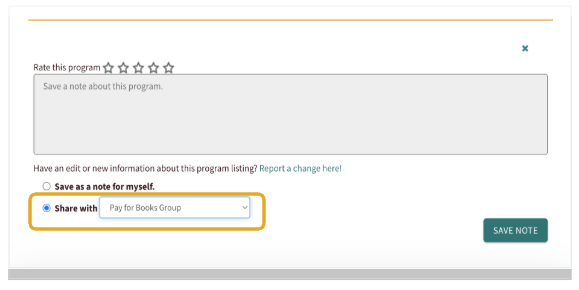
Share Notes: View and contribute to notes added to specific program cards to keep your team informed on resource quality or updates.
-
Work Together in Dashboards: Access the "People I’m Helping" dashboard to coordinate care and track progress alongside your teammates. This view allows you to see the profiles of seekers your team has helped, ensuring everyone has the context needed to provide consistent support.
-
Share Favorites Folders: Create and share curated folders of programs, making it easy for the whole team to access the best resources quickly.
These shared features are managed at the group level by your Site Administrator. To start working more closely with your team, reach out to them to request this!
Sharing Program Notes
You can leave internal notes on any program card to share insights with your team. This is a powerful tool for providing tips or updates on programs your organization frequently uses, ensuring everyone has the most current information.
Sharing Favorites Folders
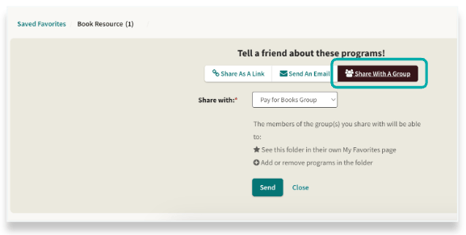
You can share your Favorites Folders directly with your group. Once shared, the folder will automatically appear in your teammates' Favorites, giving everyone instant access to the same curated resources.
Sharing Seeker Profiles
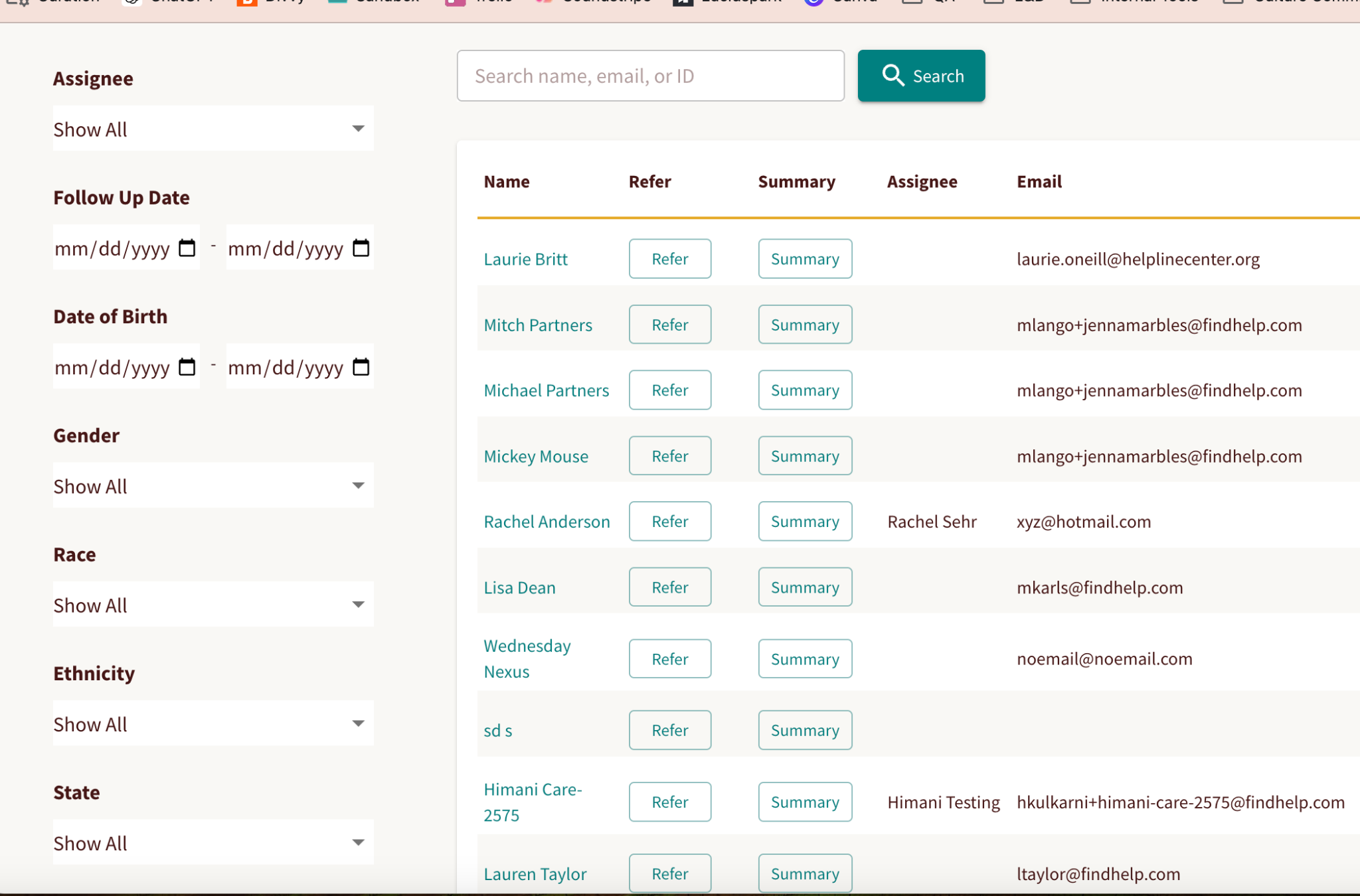
The People I’m Helping dashboard provides a shared view of the seekers your group has supported. This visibility makes it easy to coordinate care for shared seekers or step in to assist a teammate with their caseload.
Assigning to Records
ou can assign or reassign team members to specific seeker profiles to ensure smooth hand-offs and coordinated support. This shared ownership gives your team full visibility into existing notes, goals, and referrals, allowing everyone to stay aligned on the seeker’s progress.
Whether you are sharing a single resource or transitioning a caseload, these features ensure your team stays connected and informed at every step.