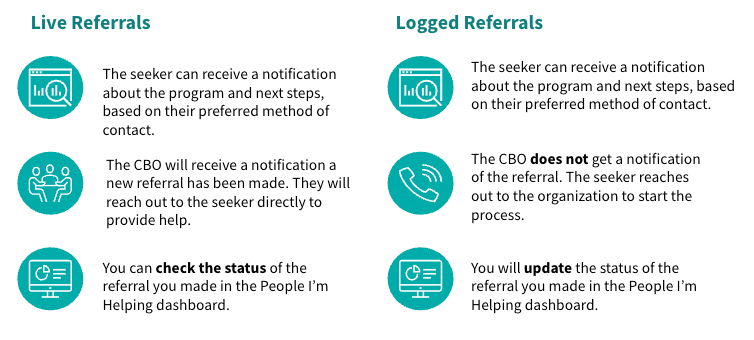
The referral form is your primary tool for documenting seeker assistance. Whether you are submitting a Live referral to a provider or a Logged referral for record-keeping, accurate data entry is essential. Use this guide to navigate the form fields, manage seeker notifications, and maintain clean care records.
Submitting a Logged Referral
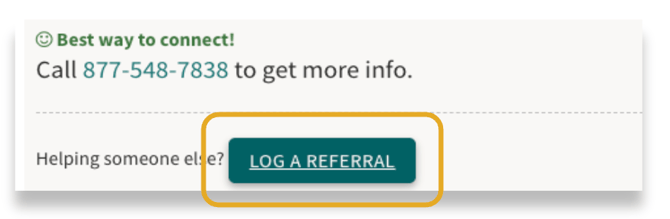
After clicking Connect, you will see the program’s specific next steps. Share these instructions with the seeker, then select Log a Referral to complete the form.
Filling Out the Form
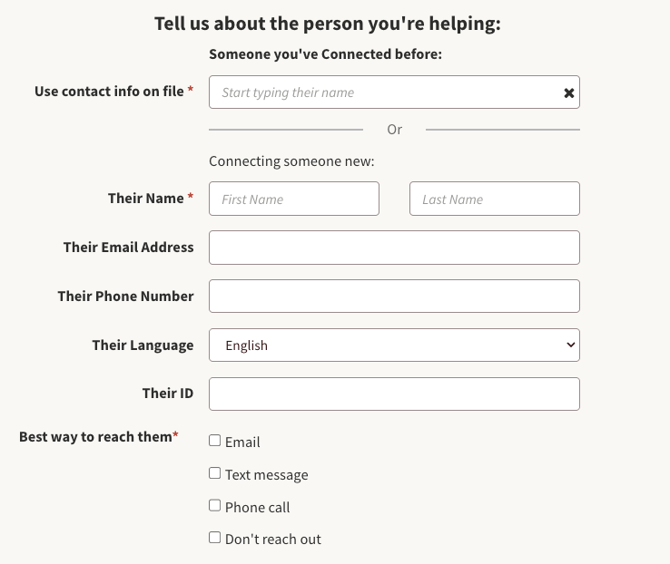
Start by typing their name into the Someone You've Connected Before field. If you or your team has already referred them to a program, you can click on their name and have their information auto-populate into the form. This will also save the action to their care profile.
If you are helping someone for the first time, fill out the following information:
The seeker's name and contact info: Enter the seeker's details, not your own. (Using your info creates duplicate or merged records). These details are used only for seeker notifications since this is not sent to a program provider.
The seeker's preferred language: Select a language from the dropdown to ensure all automated notifications are translated for the seeker.
Preferred Method of Contact: Select how the seeker wants to be notified.
-
Email or Text: Sends an automated notification to the seeker with instructions on how to reach out to the provider.
-
Phone or Don’t Reach Out: No automated notification is sent.
Once this is filled out, click Submit.
Logged Referral Reminders
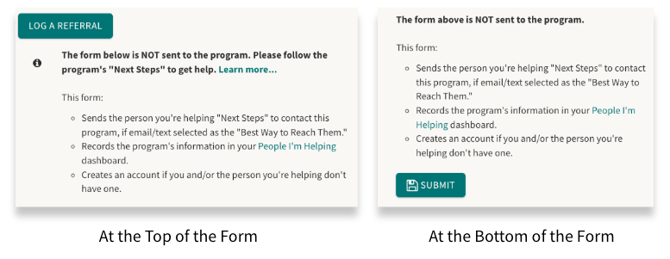
Within the logged referral form, there are two notes to remind you that this information will not be sent to the program. It also includes reminders to share Next Steps with your seeker.
Sending a Live Referral
With a live referral, when you click Connect, you go directly to the referral form. The information in this form will go directly to the program provider.
Filling Out the Form
You will still start by typing their name into the Someone You've Connected Before field. If you or your team have helped them before, it will let you click on their name and have their information auto-populate into the form.
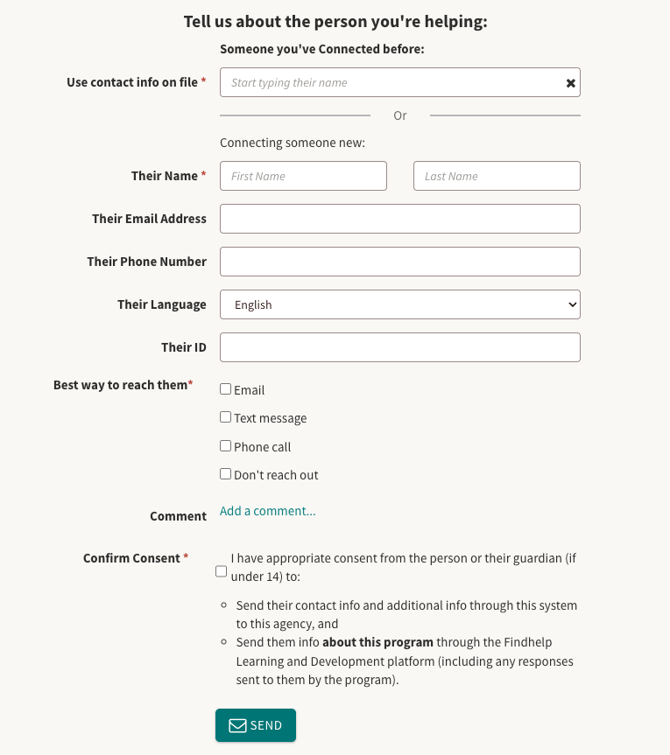
If you are helping someone for the first time, fill out the following information:
The seeker's name and contact info: Enter the seeker's details, not your own. (Using your info creates duplicate or merged records). These details are sent to the program provider.
The seeker's preferred language: Select a language from the dropdown to ensure all automated notifications are translated for the seeker. Since this is a live referral form, it will also let the program provider know so they can best support them.
Preferred Method of Contact: Select how the seeker wants to be notified and reached out to.
-
Email or Text: Sends an automated notification to the seeker with instructions on how to reach out to the provider. This is also how the program provider will reach out to your seeker.
-
Phone: No automated notification is sent, but this is how the program provider will reach out to your seeker.
-
Don’t Reach Out: No automated notification is sent. Use this if the seeker doesn’t have any of these methods available or is in an unsafe situation where they can't receive notifications.
Gaining Consent
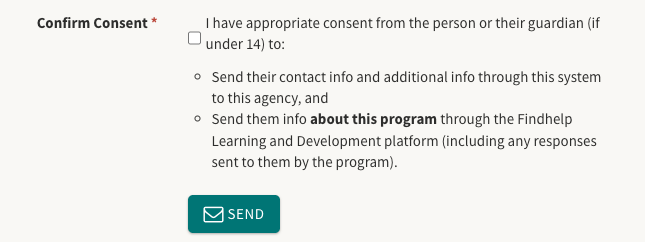
Our platform is built on transparency and informed consent. While organizations access referrals based on their care coordination responsibilities, private referrals remain confidential unless the seeker chooses to share them.
Because submitting a referral involves sharing data with another organization, you must confirm the consent checkbox before proceeding. Please note that only the information provided in this specific form is shared with the provider.
What Happens When a Referral is Sent