Users with Site Administrator privileges have access to a variety of tools that allow them to customize aspects of their site in real time, manage their users’ permissions, and manage user groups. Every site has at least one Site Administrator, although there is no limit to how many users may be granted Site Administrator privileges.
What can a Site Administrator do?
Site Administrators will be able to do the following:
-
Add and remove authorized users
-
Create and edit groups within provisioned users
-
Enable team navigation permissions for created groups
-
Assign analytic access to provisioned users
-
Assign featured labels to programs or providers
-
Boost specific taxonomy tags for programs
-
Update logos, text, and colors on their specific Findhelp site
-
Customize settings, including notifications for their site’s referrals
Accessing Site Administrator tools
To access Site Administrator tools, log into your site with your credentials and select "Site Tools."
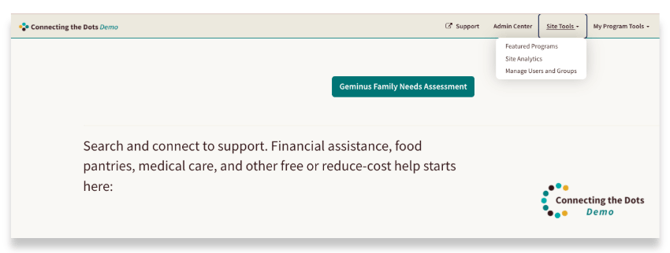
From here select one of the following:
Featured Programs: Featured programs is visible when this enabled for a site. From here Site Administrators can assign featured tags to specific programs and providers, giving them a boost in search results.
Site Analytics: Site Administrators can access the Analytics dashboard to pull reports for their Findhelp site.
Manage Users and Groups: The Manage Users and Groups dashboards provide Site Administrators with the tools to add or remove users, create groups, assign analytics access, and enable team navigation permissions.
You will also see the Admin Center in your tool bar.
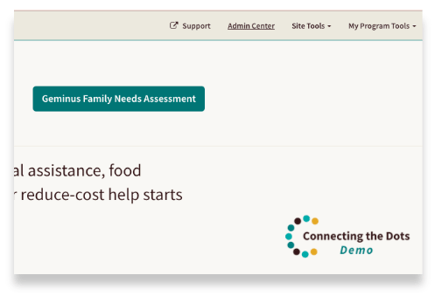
The Admin Center equips Site Administrators with options to boost tags, adjust settings, and customize logos, text, and colors, allowing them to personalize their Findhelp site.