
Why Use a Vanity URL?
By default, your organization has (or will create) a subdomain like the following:[yourorganization].findhelp.com. However, to give the population you serve a more cohesive brand experience and a user-friendly URL, you can mask this findhelp.com subdomain with a Vanity URL.
Here are the key benefits:
- Promotes Your Brand: It strengthens your brand by removing "findhelp" from the URL, giving your site a cohesive look and feel.
- Easier Marketing: A simple, branded URL looks great on promotional materials and is easy for people to remember and share.
- Improves User Experience: It's an easy-to-remember address, reducing the chance that someone will accidentally navigate to findhelp.org instead of your specific site.
- Boosts SEO: A custom URL can improve your site's Search Engine Optimization (SEO), helping more people find your site through search engines.
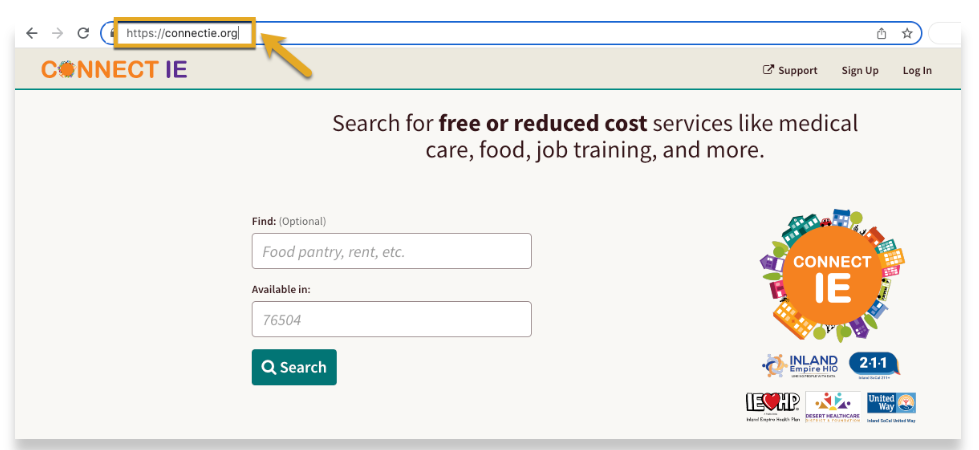
Example of a Vanity URL
How to Get a Vanity URL
Findhelp can redirect your sites to be accessible using a vanity URL. This facilitates cohesive branding and a user-friendly URL. Fill out this guide and submit to your CSM to start the process.
- If you have a domain: You can use a domain you already own for your Findhelp platform.
- If you need a new domain: Findhelp can purchase and manage a new domain for you. Please contact your Customer Success Manager for details.
We cannot map a subpage of a domain (ex. customdomain.org/thehelpfulfriend ).
Setting Up Your Vanity URL
To start the process, confirm your desired vanity URL with your Customer Success Manager (CSM).
- If Findhelp is purchasing a new URL for you, we will handle the rest.
- If you are using a domain you own, you will need to provide your CSM with the following information:
- The subdomain or full URL you've set up for your users.
- Your vanity URL address