
When you're searching for resources on your Findhelp platform, you'll likely come across programs you want to save for later. Instead of searching for them repeatedly, you can use Favorites Folders to easily collect and organize the programs you use most often.
.png?width=490&height=223&name=Zight%202026-8-17%20at%2012.48.05%20PM%20(1).png)
Inside the program card, you can click on the save button. This will add the program to a new or existing favorite folder.
The resources in your Favorites Folders are automatically updated to reflect any changes made to the program information. This ensures you always have a current and reliable directory of your favorite resources.
Accessing Your Favorites Folders
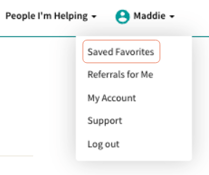
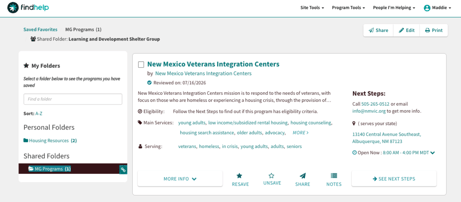
Click your name in the top right toolbar and select Saved Favorites. Then click on the folder you want to view and have your chosen programs ready to share, print, or refer a seeker to!
Sharing Favorites Folders
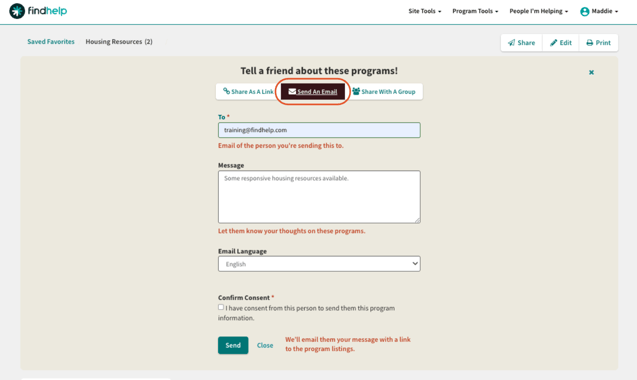
While inside a favorites folder, click on share in the upper right hand corner, and a window will pop up allowing you 3 options.
.png?width=555&height=125&name=Zight%202026-8-18%20at%2010.02.53%20AM%20(2).png)
1. Share as a Link
.png?width=647&height=222&name=Zight%202026-8-18%20at%2010.13.23%20AM%20(1).png)
2. Send an Email
3. Share with a Group
.png?width=670&height=250&name=Zight%202026-8-18%20at%2010.17.05%20AM%20(1).png)