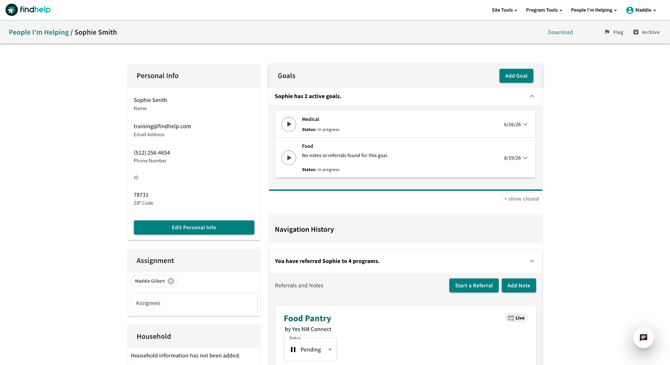
A seeker profile is created when a navigator submits an assessment or a referral on behalf of a seeker.
If you are a part of a larger group of users who have team navigation enabled, you can see all the seeker records your team has helped, in addition to your own.
Navigation History and Referral Management
The seeker profile's center screen includes the relevant referral history for an individual you or your team are supporting. Within this section, users can update the status of the referral, view shared notes, and know whether a referral was live or logged.
Seeker profiles are not created for self-referrals or self-Assessments.
Additionally Seeker Profiles are not created when a you share a program with someone.
What is Included in the Seeker Profile
Each profile can contain the following information:
- Personal Info: This section contains important personal information about the person you're helping, such as their name, email, and phone number.
- Assignment: This section allows you to assign yourself or a teammate to a seeker's profile. This makes it easier to filter by navigator on the People I'm Helping dashboard and helps your team see who is working with each person. If navigators are in the same group, multiple people can be assigned to the same profile.
- Household: The household section lets you add important people connected to your seeker. It doesn’t create a new profile, but helps your team see key relationships and contact info to better support the seeker.
- Documents: In this section, you can upload files to a seeker’s profile.
- Forms: In this section lets you view past assessments and start new ones.
- Goals: In this section, you can see previously created goals, add new goals, and view or update the status and notes associated with a goal.
- Navigation History: In this section, you can view all referrals made on behalf of the person you are helping and view or update the status or notes for each referral.
- Using "Notes" in referrals: you can leave notes within the context of any given referral. These notes are private unless otherwise indicated, meaning the seeker or the organization collaborating with you on the referral can also view those notes.
You can create custom Seeker Profile fields based on the needs of your organization. To learn more about this and how to enable it for your site, review our knowledge base article: Customizing a Seeker Profile.
Flagging a Seeker Profile
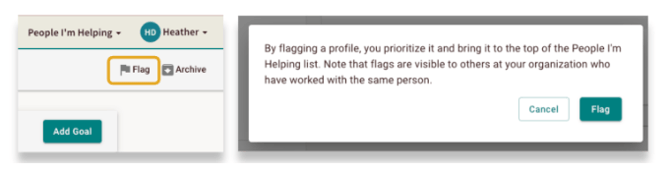
Flagging a profile will prioritize the profile by bringing it to the top of the People I'm Helping dashboard. Once flagged, the flag will be visible and profile will come to the top for everyone that has access to that Seeker Profile.
Archiving / Unarchiving a Seeker Profile
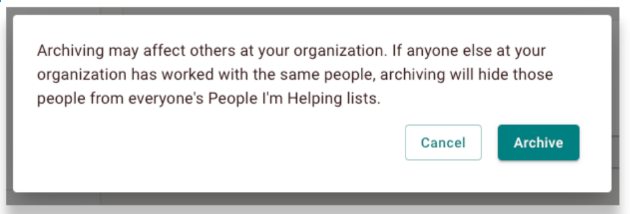
When you archive a seeker's profile, it will be hidden from your People I'm Helping dashboard. Archiving a profile doesn't delete the record; it simply helps you manage your list by hiding profiles for people you're not currently assisting.
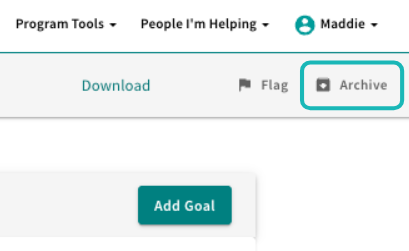
To archive a profile, click the archive icon in the upper corner of the profile page.
Once a profile is archived, it's hidden for every navigator who has access to it.
Unarchiving a Record
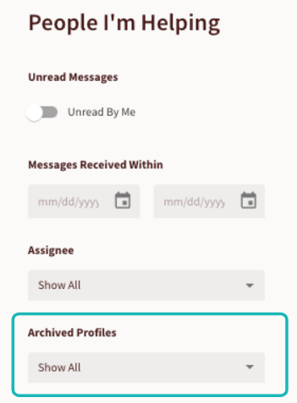
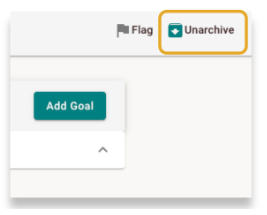
You can easily unarchive a seeker's profile and return it to your main list.
- From the People I'm Helping dashboard, find the Archived Profiles filter.
- Toggle the filter to "Show All". This will display all archived profiles.
- Use the keyword search to find the seeker's name, then click on their profile to open it
- Once inside the profile, you can unarchive the record.