*Please note that you will not see this report unless your site administrator gives you access, click here for more information.
The Site Assessment Details dashboard allows customers to view detailed information on all Assessments submitted on your site(s), in one place. In doing so, you can download that data for your own analysis.
This report will only be available to customers who have an assessment on their white label.
You Can Use This Dashboard To
-
View detailed, individual-level data on each assessment on your platform
View and Download all Assessment Activity
You can use the Site Assessment Details table to view all assessment submissions made on your site(s) and details related to that assessment and complete your own analysis of that data. In this table you can find the following information:
- Seeker name, contact information, unique ID
- Submitter name and contact information
- When the assessment was submitted
- Each question and the corresponding answer
- Date and time of the assessment submission
To Download the Data
.png?width=410&height=224&name=Zight%202026-7-16%20at%209.31.15%20AM%20(1).png)
-
Hover your mouse over the chart or table
-
Click on the three lines
-
Select "Download Data"
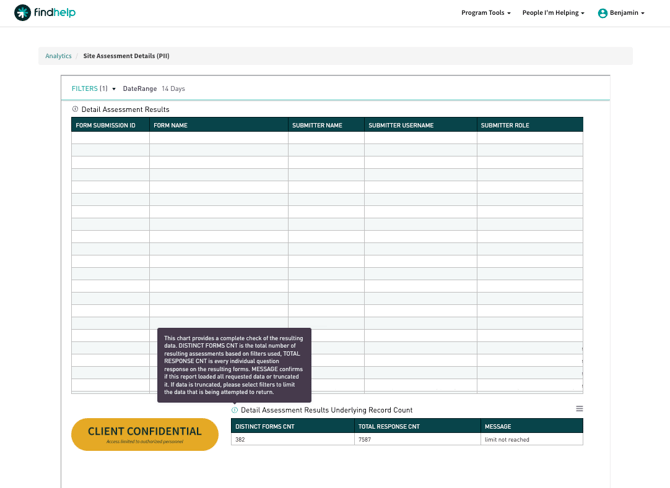
Detail Assessment Results
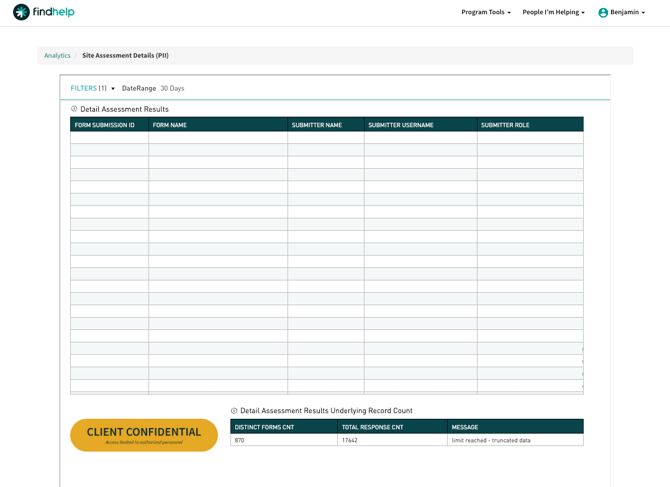
For technical transparency, a chart called “Detail Assessment Results Underlying Record Count” is available at the bottom of the report. This chart will give an indication of the data that meets your filter criteria and whether it was entirely returned or truncated.