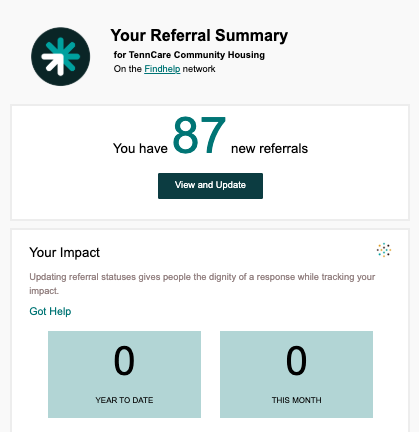
A "One-Step Referral" is our standard, low-barrier inquiry method. It allows people seeking services (Seekers) and those helping them (Navigators) to connect to your program and express interest.
When a referral is made through findhelp.org (or any platform powered by Findhelp), your organization instantly receives an email alert containing the Seeker's contact information. From there, you can manage your next steps directly from your inbox or use your centralized Inbound Referrals Dashboard to track your team's progress. Because this process is so simple for applicants, it is the fastest way to connect people in need with your services.
Setting up One-Step Referrals
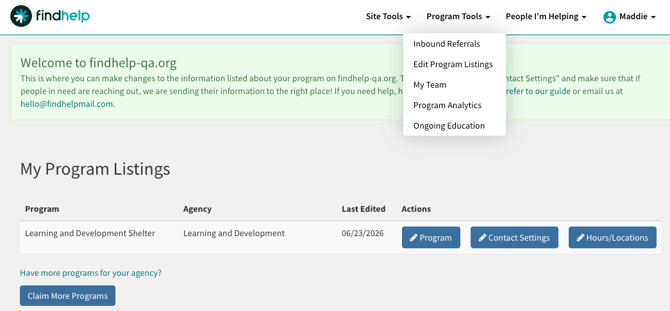
Step 1: Click on My Program Tools and select Edit Program Listings. Programs you are a claimer on will appear here. Click on Contact Settings.
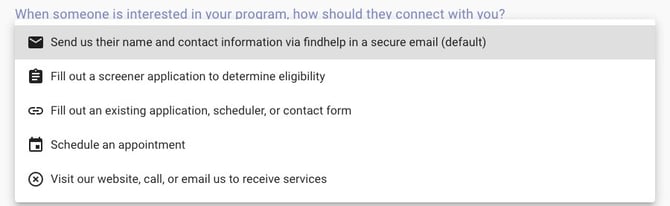
Step 2: Navigate to the call-to-connection dropdown menu and select: "Send us their name and contact information via findhelp in a secure email".
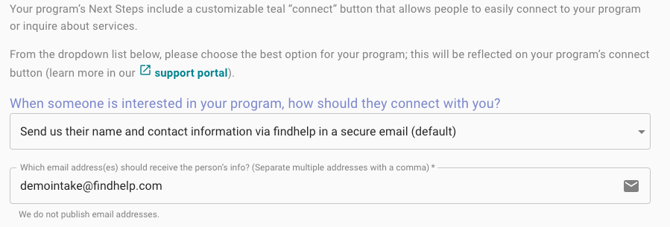
Step 3: Enter the email(s) of the program claimer(s) who should receive notifications at the time of referrals in box directly beneath the referral option drop down menu. Best Practice: include a shared referral management email and/or multiple emails for team referral management.
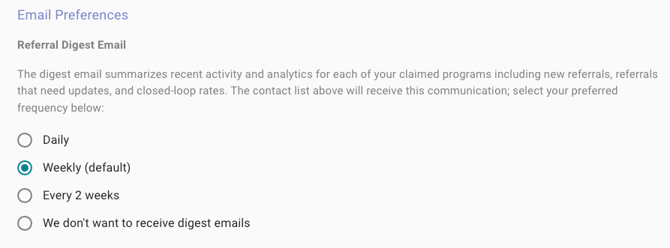
Step 4: To update preferences for your "Referral Digest", which summarizes recent referral activity, select the most appropriate cadence for your team.
Step 5: Hit publish! Updates made are not reflected until they have been published.
______________________________________
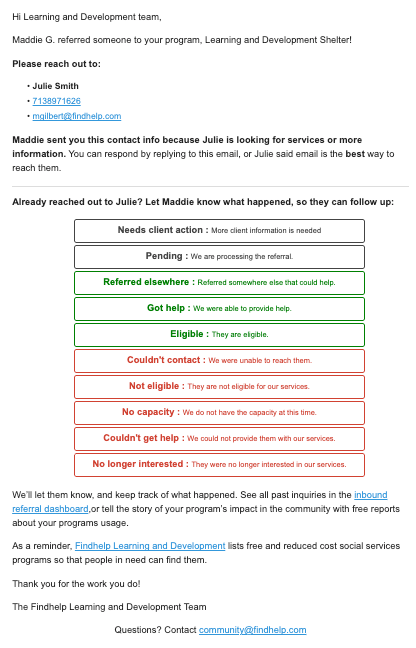
Sample One-Step Referral Notification Email
Sample Referral Digest Email