
Through the previous phases, we have defined your social care goals and identified the organizations best suited for engagement. Now, we focus on network sustainability.
A successful Findhelp network relies on continuous activity. While engagement efforts like emails and events are vital, the most effective way to maintain partner interest is through staff engagement—specifically, sending digital referrals.
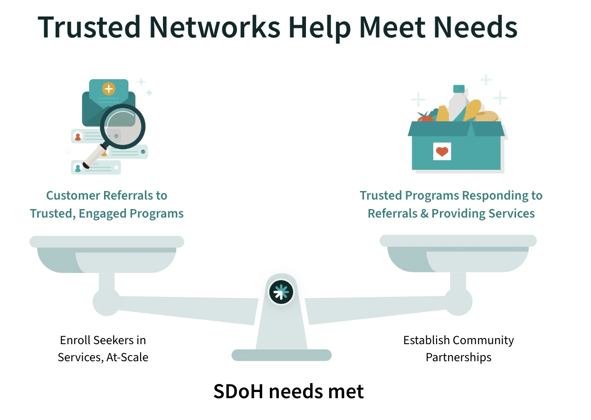
Aligning the CE Lead and Project Lead
To ensure your community partners receive value from the platform, your CE Lead and Project Lead must collaborate closely:
-
The CE Lead understands how Community-Based Organizations (CBOs) respond to referrals.
-
The Project Lead manages the internal staff workflows for sending those referrals.
By understanding which staff members are using the site and what their daily workflows look like, the CE Lead can ensure that the organizations they engage are easily discoverable by staff.
Tools for Highlighting Preferred Partners
Findhelp provides three primary tools to prioritize your engaged partners and guide staff toward the right resources:
Featured Programs
Admins can apply a "Featured" tag to specific program cards.
-
Impact: These programs are prioritized at the very top of search results, clearly identifying them as trusted or preferred partners.
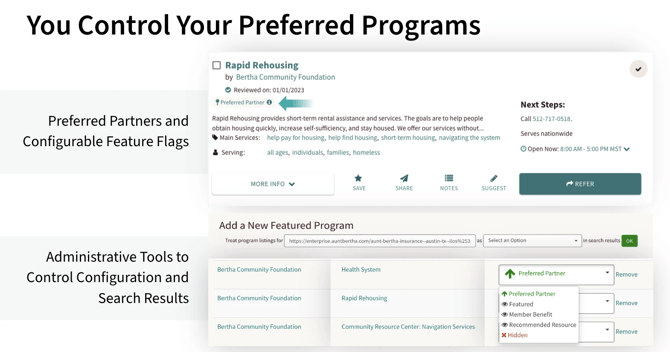
To begin prioritizing your preferred partners at the top of search results, check out our article on Featured Programs.
Boosted Programs
This allows you to curate the search experience based on specific service or situation tags. Unlike Featured Programs, these do not sit at the very top, but they receive a significant "boost" in visibility.
Examples:
-
A Children’s Hospital might boost programs tagged for "Children" or "Families."
-
A Refugee Support Service might boost programs with "Refugee" situation tags.
-
A Mental Health Provider might boost "Counseling" and "Support Groups."
Want to learn how to prioritize specific resources? Check out this article on Boosted Programs to see how you can curate the best results for your users.
Favorites Folders
Create dynamic, curated lists of resources that staff can access, share, or update at any time. This is an excellent way to maintain a "living list" of high-quality community partners.
Ready to streamline your resource management? Check out this article on Favorites Folders to create and share curated lists with your team.
Actions
To ensure your community engagement translates into active referrals, complete the following:
-
Collaborate on Workflow: Meet with your internal Operations Lead to map out staff workflows. Determine which of the tools above (Featured, Boosted, or Favorites) will best help staff identify and refer to your preferred partners.
-
Implement & Train: Configure your chosen tools on the platform and educate staff on how to identify these highlighted partners when sending referrals.
-
Monitor Impact: Use the Findhelp Analytics Suite (Referral Activity) to track staff usage and ensure referrals are consistently flowing to your targeted community partners.
Up Next
Transition from setup to sustainability by Monitor and Expand Your CE Network, refining your strategy, and leveraging real-world data to expand your reach.